Apartment List: Rent app
- 4.4
- Rating
- 5.00M
- Installs
- Free
- Price

 Analysis by App-foxy
Finding a rental can quickly become a second job. You open one listing site, compare it with another, save a few possibilities, then realize that the prices, amenities, and availability are not presented in the same way. I found Apartment List: Rent useful because it gives that search a more guided starting point instead of leaving me with an endless wall of apartments. It is a free House & Home app from Apartment List, aimed at people looking for apartments to rent on Android or iOS.
My first impression was that the app is most helpful when I treat it as a screening tool rather than a complete replacement for every other rental resource. It helps narrow a broad search into options that are easier to compare, especially when I already know my preferred area, budget, and must-have amenities. The real benefit is reducing the number of unsuitable listings I need to investigate, not promising that every result will be perfect.
What to expect before you start searching
Apartment List: Rent focuses on apartment discovery. Its store summary describes an apartment finder for rentals, with comparisons involving prices, amenities, and available properties. In practical use, that means I would open it when I am at the early or middle stage of a move: perhaps I am checking whether a neighborhood fits my budget, building a shortlist before contacting properties, or comparing several apartment communities that look similar at first glance.
You May Also Like

 AccuWeather: Weather Radar
AccuWeather Review: A Quick, Clear Forecast for Everyday Decisions
For everyday plans, the best forecast is the one you can understand quickly. AccuWeather makes rain timing, radar, and local conditions easy to act on, with a few trade-offs.

 Hill Climb Racing
Why Hill Climb Racing Still Turns Crashes Into One More Run
A tiny car, a bumpy hill and one more upgrade: Hill Climb Racing keeps resurfacing because its simple chaos makes every near-miss feel personal.

 AliExpress - Shopping App
AliExpress Makes Global Shopping Feel Personal, but Shoppers Bear the Risk
AliExpress turns a global marketplace into a pocket-sized discovery engine. Its reach is useful, its shopping loop compelling, and its trade-offs easy to miss.

 Lords Mobile: Kingdom Wars
Lords Mobile Is a Kingdom-Building Routine, Not a Quick Match
A case-by-case verdict on the building, battles, device demands, and social commitments that make Lords Mobile rewarding for some players and exhausting for others.

 PDF Scanner app - TapScanner
TapScanner Makes Paperwork Easier to Capture, Check, and Share
TapScanner makes scanning with a phone feel less like a rescue operation and more like a dependable step in getting work done. Its capture tools are useful, though not flawless.

 Block Blast!
 Shows How Much a Puzzle Game Can Leave Out
A quiet grid game shows why puzzle players increasingly value instant clarity, repeatable skill and low-pressure play—and where the genre still needs to catch up.
More From Our News Desk
View All News


The app is free to download, and its Everyone age rating makes it approachable for a broad audience. It has reached over five million installs, with an average rating of 4.4 from around sixty-six thousand ratings and roughly fifteen thousand written reviews. Those figures suggest that it is an established rental-search option rather than a little-known experiment, though popularity alone does not guarantee that every local market will feel equally useful.
I would set expectations around location carefully. Rental inventory changes by city and neighborhood, so the quality of the search depends heavily on where you are looking and how many properties are actively represented in that area. A person searching in a large rental market may find the app more immediately valuable than someone looking for a very small town or a highly unusual property type.
The app is especially suitable for a first pass. If I were moving to a new city, I would use it to learn what different neighborhoods cost, which amenities appear regularly, and how far my budget might stretch. I would not assume that opening a listing inside the app completes the entire rental process. I would still verify availability, fees, lease terms, deposits, pet rules, and application requirements directly before making a decision.
That distinction matters because rental listings can change quickly. A property that looks ideal during a morning search may have a different price or availability by the time I am ready to apply. Apartment List: Rent can help me organize the search, but it cannot remove the need for current confirmation and careful reading.
Who gets the most value from it
I think the strongest audience is a renter who feels overwhelmed by choice. If you are moving for the first time, relocating to an unfamiliar city, or trying to balance rent against features such as parking, laundry, or pet access, a structured apartment search is easier than browsing random results across several services.
It can also help people who are still deciding what they want. A search often exposes trade-offs that are difficult to predict: a lower price may mean a longer commute, while a preferred amenity may push the budget higher. Seeing apartments together gives me a more realistic sense of which preferences are essential and which ones are negotiable.
I would be less likely to rely on it alone if I needed a private rental from an individual owner, a short-term arrangement, a room in a shared home, or a property with unusual requirements. Those searches may be better served by a platform designed specifically for that kind of housing. Apartment List: Rent makes more sense when the target is a conventional apartment rental and comparison is the main task.
Getting from installation to a useful first search
I like to make the first search useful without trying to settle every moving decision at once. I’d start with the area and budget I can genuinely live with, then treat the initial results as a way to learn what the market offers. That gives me a practical baseline before I decide which preferences deserve to narrow the search.
Set up the search around real priorities
My advice to a first-time user is to decide on three levels of preference before entering details. First, choose the things that would make an apartment unacceptable, such as an area that is too far away or a rent level that is simply impossible. Second, identify strong preferences that you would like to have but could compromise on. Third, keep a short list of pleasant extras.
This prevents a common mistake: filtering so aggressively that the results become too narrow to teach you anything. If I mark every preference as essential, I may miss apartments that are affordable and practical but lack one minor feature. A better approach is to begin with the budget and location boundaries that truly matter, then use amenities to refine the shortlist.
It is also worth searching more than one nearby area when the move is flexible. A neighborhood name can hide meaningful differences in price and convenience. I would run a focused search first, then broaden it slightly to see whether a nearby area offers better value. This turns the app into a comparison tool rather than just a place to collect attractive photos.
The current version is 3.21.2, and the listed minimum operating-system requirement is version 9. Before installing on an older device, I would check compatibility in the relevant app store. Once it opens, I would keep the first session simple: establish the location, budget, and basic apartment needs instead of trying to solve the entire move immediately.
Make the first successful action a shortlist
For me, the first meaningful success is not sending an inquiry. It is creating a shortlist of apartments that are worth a closer look. I would open each promising result and compare the information that affects daily life, not just the headline rent. Look at the available amenities, the apparent location, the unit details, and whether the property still fits the reason it caught your attention.
A useful shortlist should contain alternatives, not five versions of the same apartment. I might keep one option that best matches the budget, another that offers the strongest amenities, and a third that seems to provide the best location compromise. This makes later decisions easier because I am comparing different priorities rather than repeatedly choosing between nearly identical listings.
One practical habit is to write down the questions that appear while browsing. For example, I may need to ask whether a listed price applies to a particular unit, whether utilities are separate, or whether a pet-related rule has additional conditions. The app can help me discover candidates, but my notes keep the search grounded in questions that need direct answers.
If I were helping a friend use the app, I would suggest a two-pass workflow. During the first pass, save or note anything that might fit without overanalyzing every detail. During the second, remove options that fail on commute, budget, layout, or a non-negotiable amenity. This is faster and less tiring than trying to make a final decision the moment each listing appears.
Use comparison to uncover trade-offs
The comparison angle is where the app feels more useful than simply searching the web for apartment names. I can look at price and amenities together, which encourages a more realistic question: what am I receiving for the additional rent? A slightly more expensive apartment may be worthwhile if it solves a daily problem, while an impressive amenity list may not justify extra cost if I will never use it.
I would also compare total living practicality rather than focusing only on the advertised rent. A lower monthly figure can lose its advantage if the location creates a difficult commute or if an important service is inconvenient. The app helps start that comparison, but I would use a map, a commute estimate, and direct questions to complete it.
Another non-obvious use is testing your assumptions. If I believe a certain neighborhood is outside my budget, I can search it with realistic filters and compare the results with nearby areas. If I believe a particular amenity always adds too much cost, I can check apartments with and without it. This makes the app useful for planning even before I am ready to contact a property.
Common points of confusion
The first possible confusion is treating a listing as a guarantee. Rental information is time-sensitive, and a displayed apartment should be considered a lead until the property confirms the current unit, price, and terms. I would not pay an application fee, schedule a move, or reject every other option based on one listing alone.
A second issue is confusing apartment-level information with unit-level information. A property may have several floor plans or units, and the price or availability that catches my eye may relate to only one of them. Before moving forward, I would ask which exact unit is available, when it can be occupied, and what recurring or one-time charges apply.
A third source of friction is the difference between browsing and applying. Apartment List: Rent is valuable during discovery, but the final steps may involve communication with the property, additional forms, identity details, income information, or other requirements. I would prepare those details separately and read every screen carefully rather than assuming the app handles the entire rental transaction.
Notifications and saved searches can also become distracting if I am browsing casually. If I am only researching neighborhoods, I would avoid treating every new result as urgent. If I am actively moving, I would check new matches regularly but still use the same screening rules. More alerts do not automatically mean a better search; they can make it harder to remember which apartments actually meet my needs.
Privacy is another reason to move deliberately. I would begin with general search preferences and share more personal information only when I understand why it is needed and who will receive it. The app is easiest to use when I separate casual browsing from serious application activity, keeping the early stage focused on apartments rather than rushing into forms.
How it compares with familiar alternatives
Compared with searching through a general web browser, Apartment List: Rent feels more focused because the purpose is clear: find and compare apartments for rent. A browser is still useful for checking neighborhood information, transportation, local services, and property websites, but it can scatter the process across many tabs. I would use the app for discovery and the browser for verification.
Compared with a broad real-estate marketplace, this app may feel more approachable to someone who wants apartments rather than every possible property category. The trade-off is that a larger marketplace may expose a wider mix of listings or specialized housing types. If I am searching for a room, a sublet, or an unusual rental arrangement, I would add a service built around that need instead of expecting this app to cover everything.
Compared with contacting buildings directly, the app saves time during the initial comparison stage. Direct contact remains stronger for confirming current details and asking questions that a listing cannot answer. My preferred workflow is therefore not either-or: I would use Apartment List: Rent to create a sensible shortlist, then contact the most promising properties and verify the details before committing.
Compared with a spreadsheet, the app is faster for discovering candidates, while a spreadsheet is better for personal calculations. I might record estimated commute time, confirmed fees, move-in dates, and follow-up status outside the app. That combination is particularly helpful when several properties look similar and memory starts blending their details together.
A realistic first-time renter scenario
Imagine I am moving to a new city for work and have a fixed monthly limit. I begin by searching near the office, then expand to neighboring areas when the first results seem too expensive. Instead of saving every attractive apartment, I keep a small group representing different compromises: one close to work, one with a lower price, and one with the amenities I use most.
Next, I compare the listings again with my actual routine. If I cook often, kitchen details matter more than a shared feature I will rarely use. If I have a pet, I treat pet rules as a first-level requirement rather than a nice extra. If I commute by public transportation, I investigate the route before becoming attached to an apartment’s photos.
After that, I contact the strongest candidates with the same questions so the answers are comparable. I ask about the exact unit, current availability, additional charges, lease length, and application process. The app has done its job if it helped me reach that conversation with a clearer shortlist and better questions.
When a different approach is better
I would skip making this my only rental resource if the search depends on a highly specific housing arrangement. Someone seeking a furnished short-term stay, a shared room, or a direct owner listing should look for services designed around those categories. Likewise, a renter who already knows the exact building may get faster answers by contacting that property directly.
I would also avoid relying on any rental app without independent verification. The most polished listing can still require clarification about timing, fees, rules, or the exact unit. Apartment List: Rent is not a substitute for visiting when possible, checking the surrounding area, and reading the lease carefully.
For users who dislike guided discovery or want to search through every possible property type in one place, a larger general marketplace may feel more flexible. The advantage here is focus; the limitation is that focus can feel restrictive when your housing needs fall outside standard apartment hunting.
My next-step routine after finding candidates
Once I have a shortlist, I stop browsing for a moment and rank the options by practical importance. I would separate confirmed facts from assumptions, mark which questions have been answered, and remove any listing that fails a non-negotiable condition. This keeps attractive presentation from overpowering basic suitability.
Then I would contact the top choices in a consistent order and record the response. If one property is slow to answer or vague about important costs, that is useful information in itself. A rental search is not only about finding a place that looks good; it is also about finding a process I can understand and trust.
I would keep the app installed while the search is active because new possibilities can help me compare the current shortlist. But I would not let new results reset my priorities. The best outcome is a decision based on budget, location, daily routine, and verified terms, with the app serving as a practical starting point.
Overall, I see Apartment List: Rent as a helpful first step for apartment hunters who want a clearer way to compare rental possibilities. It is free, accessible to an Everyone audience, and developed by Apartment List. Its strong adoption and 4.4 average rating make it worth trying, but the app works best when paired with direct confirmation and a little personal organization.
My recommendation is simple: install it when you are ready to define your search, begin with only your true deal-breakers, build a varied shortlist, and verify every important detail before applying. If your needs fit standard apartment hunting, it can make the early search calmer and more focused. If your situation is specialized, use it as one source among others rather than as the complete answer.
FAQs for Apartment List: Rent app
01What features does Apartment List offer to help me find a rental?
Apartment List provides a personalized search experience by matching you with properties that fit your specific needs and preferences. The app uses a powerful algorithm to filter options based on location, price range, and amenities. Additionally, it offers detailed information about each listing, including photos, floor plans, and neighborhood insights.
02How does the matching process work in Apartment List?
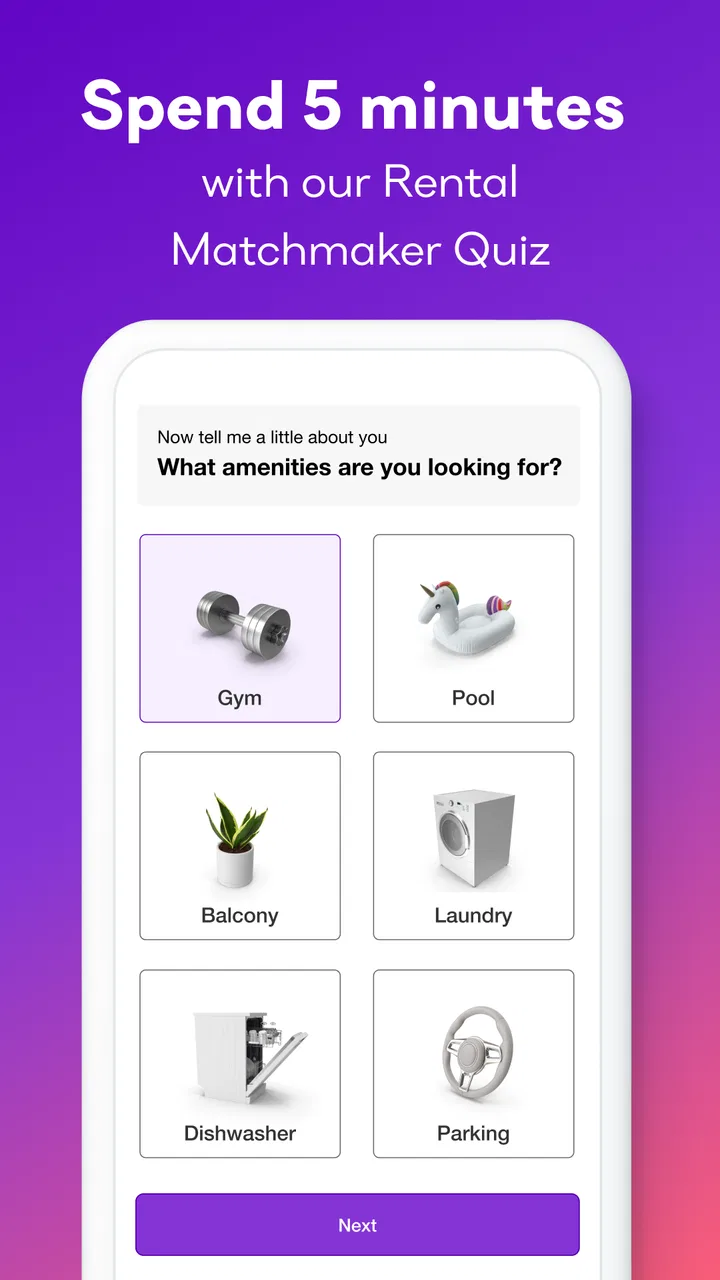
The matching process in Apartment List begins with a short questionnaire about your rental requirements, preferences, and budget. The app then uses this information to generate a list of recommended apartments. Each recommendation is tailored to your needs, saving you time by focusing only on options that truly fit what you're looking for.
03Is Apartment List free to use, or are there any hidden costs?
Apartment List is free to download and use. There are no hidden costs associated with searching for rentals using the app. However, some properties may require application fees or deposits, which are standard in the rental process. Always check individual listings for any fees specific to those properties.
04Can I schedule apartment tours directly through the app?
Yes, Apartment List allows you to contact property managers directly to schedule tours. The app provides contact information and sometimes even a scheduling feature to make setting up a visit convenient and straightforward. This ensures you can see apartments in person before making any decisions.
05What should I do if I encounter issues or bugs while using Apartment List?
If you experience any issues or bugs while using Apartment List, you can reach out to their support team through the app itself or via their website. They are usually prompt in addressing technical problems and appreciate feedback that helps improve the app’s functionality and user experience.
Pros
- Intuitive user interface for easy navigation.
- Comprehensive search filters for precise results.
- Detailed listings with photos and descriptions.
- Personalized recommendations based on preferences.
- Secure communication with landlords within the app.
Cons
- Limited availability in some smaller cities.
- Occasional outdated listing information.
- No built-in application submission feature.
- Requires account creation to access full features.
- Ads can be intrusive for free users.

Apartment List: Rent app
Gallery